
HDMI is the standard connection for high-definition video and audio, linking TVs, monitors, Blu-ray players, gaming consoles and streaming devices. We stock four types to match any resolution, length and installation requirement.
| Name | Description |
|---|---|
| Flat flexible cables, 0.5m to 10m from $7. Supports 4K 60Hz (0.5–5m) and 4K 30Hz (7–10m). Ideal for most TVs, Blu-ray players and streaming boxes. |
| Standard round cables, 0.5m to 10m from $10. Full 4K 60Hz 4:4:4 colour and 18Gbps bandwidth. Best for gaming monitors, HDR TVs and 4K 120Hz displays. |
| 4.5mm thin cables, 0.5m to 3m from $8. Supports 8K 60Hz with 48Gbps bandwidth, Dynamic HDR and eARC. Perfect for tight spaces and clean cable management. |
| Heavy-duty cables, 15m and 20m from $75. Quad shielding and 24AWG conductors for 4K 60Hz 4:4:4. The maximum practical HDMI length without an amplifier. |
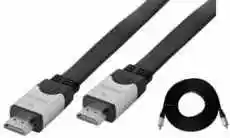 HDMI 1.4 flat cables
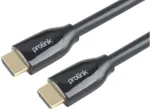 HDMI 2.0b cables
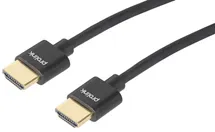 HDMI 2.1 ultra-slim cables
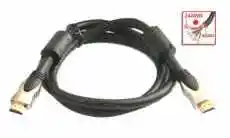 Long HDMI 2.0b cables
How to buy HDMI cables
Manly Electronics supplies these cables with Audio Visual installations as well as online here. Prices include GST. Postage added at checkout.
HDMI cable issues
A low quality or a faulty HDMI cable can cause of issues with the picture and audio
- No Signal.
- The image quality is reduced, or does not support the highest resolutions that TV is capable of.
- Intermittent picture or flickering.
- Sparkles or "Snow", similar to static on old analog TV channels.
- Horizontal or vertical lines.
- Wrong Colours.
- Intermittent sound or no sound through to amplifier - ARC feature not working.
- The TV remote is not functioning with Foxtel - HDMI-CEC feature not working.
Cheap HDMI cables are usually thicker, which may cause damage to HDMI sockets over time.
Troubleshooting HDMI cable problems
- Try connecting the HDMI cable to a different port.
- Swap the HDMI cables from other ports.
- Try using a shorter HDMI cable.
- Try restarting both the TV and your source device.
- Update the firmware on your TV (if available).